Booking an MRCEM exam is straightforward once you understand how the process works. The trouble is that most candidates meet it for the first time under deadline pressure, and small mistakes — a missed application window, the wrong eligibility assumption — can cost a whole exam diet. This guide walks you through the whole process from start to finish. Throughout, remember one rule: always confirm the current dates, fees and eligibility on the official Royal College of Emergency Medicine (RCEM) website before you commit, because these are updated every year.
Understand the Three Exams First
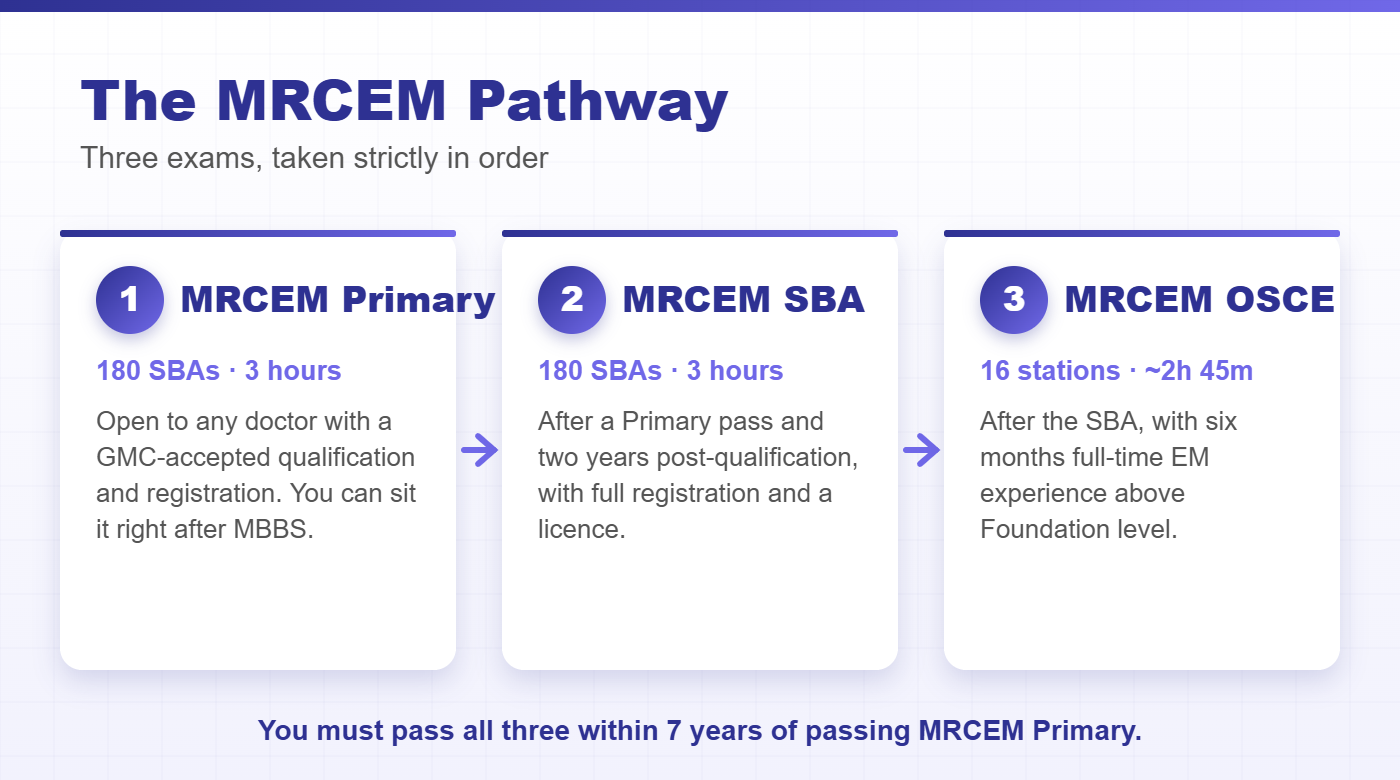
MRCEM is not a single exam but a sequence of three, taken strictly in order: Primary, then SBA, then OSCE. You cannot skip a step or sit them out of sequence, and each has its own eligibility rules. Knowing where you are in this pathway tells you which exam you are actually registering for and what you need in place first.
Check You Are Eligible
Each exam has different requirements. MRCEM Primary is the most open: you need a primary medical qualification that the GMC accepts and a current medical registration, whether provisional or full. There is no experience requirement, so you can sit it very early — even straight after your primary qualification. MRCEM SBA requires a Primary pass, full registration with a licence to practise, and typically two years after your primary qualification. MRCEM OSCE requires SBA success plus six months of full-time-equivalent emergency medicine experience above Foundation level. Confirm the exact criteria for your exam before you apply, and have any supporting documents ready.
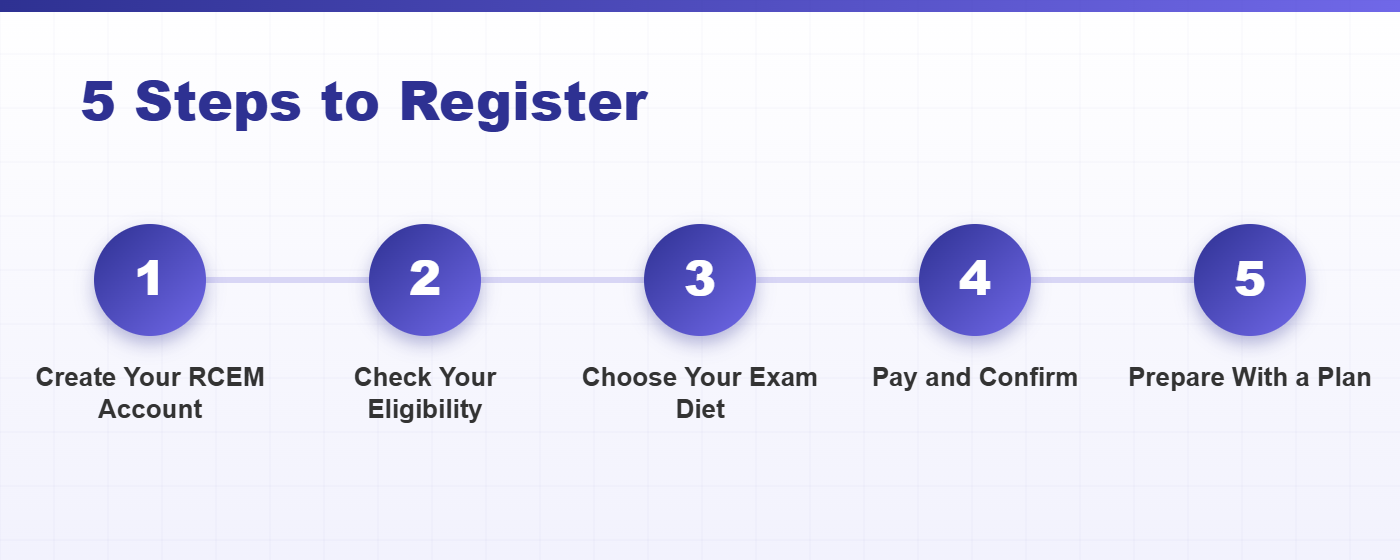
Step 1: Create Your RCEM Account
Everything happens through the RCEM exams portal. Register for an account using a valid email address you check regularly, because your exam correspondence and results notifications go there. You will use the same login for every exam in the pathway, so keep the details safe. It is worth setting this up well before an application window opens, rather than on the day it closes.
Step 2: Choose Your Exam and Diet
Exams run in fixed windows through the year called diets. For example, MRCEM Primary is scheduled for 21 April 2027 and 20 October 2027, with each sitting having its own application window that opens and closes months in advance — the April 2027 Primary, for instance, has an application window in late January 2027. Pick the diet that gives you enough realistic preparation time, and note both the booking opening and closing dates in your calendar immediately. If you are sitting Primary in April 2027 or later, remember that the updated Basic Sciences Syllabus applies from that date.
Step 3: Apply Within the Window
Applications are only accepted during the published window, and the deadlines are firm. Miss the closing date and you wait for the next diet, which can set your whole timeline back by months. Apply as early in the window as you can, so that if any document or detail needs fixing, you have time to sort it out before the window shuts.
Step 4: Pay the Fee
You complete your booking by paying the exam fee through the portal. Fees differ by exam and by whether you sit in the UK or internationally, and they are reviewed each year, so check the current figure on the RCEM fees page rather than relying on an old number. Budget for the whole pathway, not just the next exam, so there are no surprises later on.
Step 5: Confirm and Prepare
Once your booking is processed you should receive a confirmation email with your exam details. Check everything carefully — name, date and test centre — and keep the confirmation safe. Then the real work begins: with your date fixed, build a realistic revision schedule that works backwards from exam day, and make sure every resource you use is mapped to the correct, current syllabus for your sitting.
Mistakes That Cost People a Diet
A few errors come up again and again. Leaving the account and application to the last day. Assuming you are eligible without checking the specific rule for your exam. Forgetting that each exam must be passed in order. And preparing from an outdated syllabus — especially relevant for Primary candidates sitting from April 2027 onward. Avoid these four and the administrative side of MRCEM becomes a non-event.
Key 2027 Dates to Note
For planning purposes, MRCEM Primary is scheduled for 21 April 2027 and 20 October 2027, with application windows that open and close months beforehand — the April sitting, for example, has its window in late January 2027. The SBA and OSCE run on their own separate dates through the year. Treat these as a guide only and confirm the exact exam dates, application windows and results dates for your sitting on the official RCEM exam calendar, because they are the only source that is always up to date.
After You Apply
Once your application is in, keep an eye on the email account linked to your RCEM profile — any requests for additional information or documents will come there, and missing one can jeopardise your booking. When your confirmation arrives, double-check your name and test centre against your ID, since mismatches can cause problems on exam day. Then put the results date in your calendar too, so you can plan your next step in the pathway without losing momentum.
Need a Hand?
If you are unsure which exam you are ready for, or which diet to aim for, message us on WhatsApp and we will help you map out your timeline. And once your date is booked, our structured MRCEM Primary and SBA courses are built to align with the official syllabus for your sitting, so your preparation is pointed in exactly the right direction. This guide is general; for the latest official requirements, fees and dates, always refer to the RCEM website.
Official RCEM source: confirm the current exam dates, fees and application windows on the RCEM Exam Calendar & Fees page, and eligibility details on the official RCEM website.